> ## Documentation Index
> Fetch the complete documentation index at: https://ngquct-fix-libpq-connection-lost-detection.mintlify.site/llms.txt
> Use this file to discover all available pages before exploring further.
# PostgreSQL
> Connect to PostgreSQL with the libpq driver, including PostGIS display, AWS IAM auth, and pg_dump backups
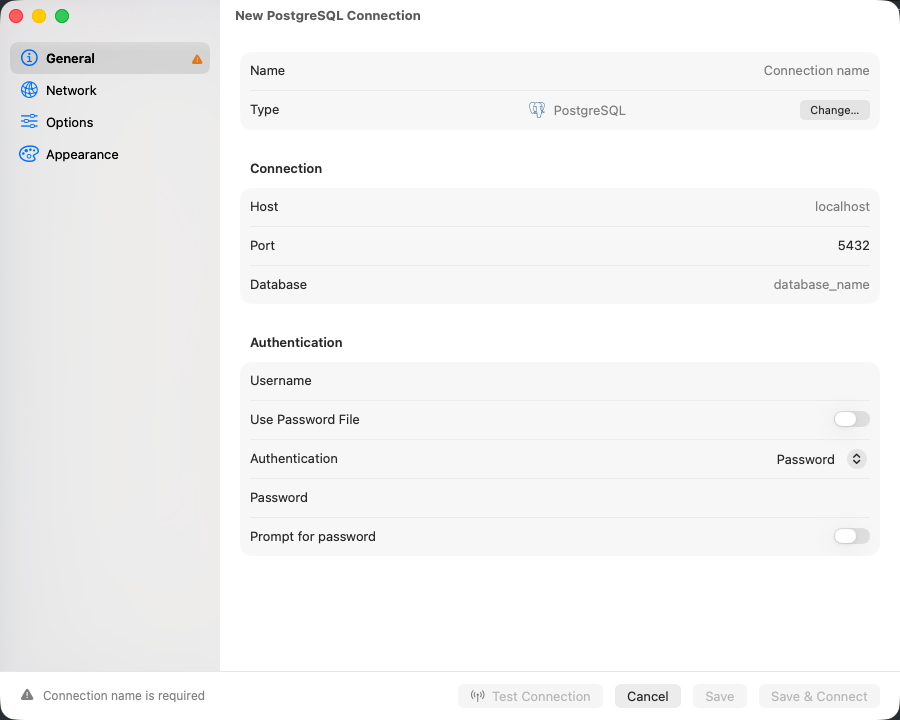
Unlike MySQL, PostgreSQL will not connect without a **Database**, and it changes database only by reconnecting. Everything else on the form is ordinary. The libpq driver ships inside the app and also serves [Amazon Redshift](/databases/redshift), [CockroachDB](/databases/cockroachdb), and [PGlite](/databases/pglite).
## Connection settings
| Field | Default | Notes |
| ------------ | ----------- | ------------------------------------------- |
| **Host** | `localhost` | |
| **Port** | `5432` | |
| **Username** | - | Not pre-filled; most servers use `postgres` |
| **Database** | - | **Required** |
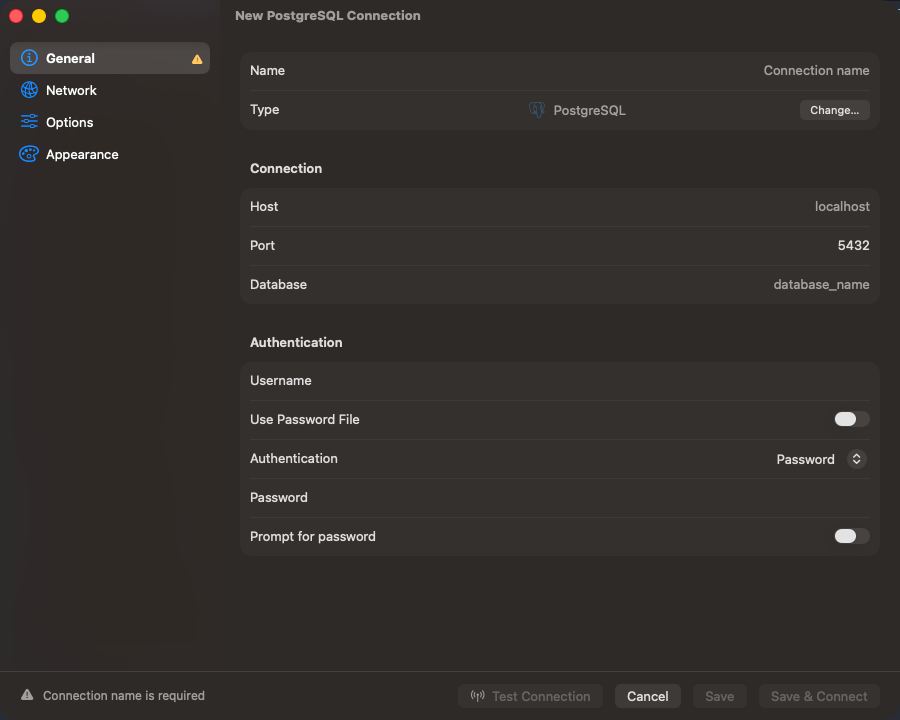
Fill in the form and click **Save & Connect**. For remote servers use [SSH tunneling](/connections/ssh-tunneling); Google Cloud SQL instances can connect through the [Cloud SQL Auth Proxy](/connections/cloud-sql-proxy).
The sidebar, the structure view, Users & Roles privileges and SQL export work from PostgreSQL 9.1. Generated columns need 12, declarative partitioning and identity columns need 10, and materialized views need 9.3. Some editing still needs a newer server; see [Limitations](#limitations).
 ## Connection URL
```text theme={null}
postgresql://user:password@host:5432/database
```
`postgres://` also works. Opening a URL connects directly. See [Connection URL Reference](/connections/urls).
## Authentication
### AWS IAM
Set **Authentication** to an AWS IAM option and set **Username** to a database role granted `rds_iam`. See [AWS IAM Authentication](/connections/aws-iam).
### Password file
Turn on **Use Password File** to read the password from `~/.pgpass` instead of typing one. Entries are `hostname:port:database:username:password`, `*` matches any field, first match wins. The form reports what it found, including `~/.pgpass has incorrect permissions (needs chmod 0600)`, the one that silently blocks a connect.
## Databases and schemas
Every database on the server is listed, `postgres` included; `template0` and `template1` are not. The sidebar shows every schema you have access to, and the toolbar carries the active database and schema side by side: click either to switch, or press `Cmd+K` for the database list.
Right-click a schema to drop it. The statement is `DROP SCHEMA … CASCADE`, so views and functions in *other* schemas that depend on it go too; the confirmation says so before it runs.
A partitioned table is listed once, under its own icon. Expand it for its partitions, and expand a partition again if it is subpartitioned; opening one works like opening any other table. Tables using the older `INHERITS` inheritance are listed normally, each child in its own right.
## Column types
`jsonb` renders as formatted JSON, and `uuid`, `inet`, `timestamp with time zone`, `interval` and `bytea` display natively. PostGIS `geometry` and `geography` render as EWKT with the SRID kept, `SRID=4326;POINT(-73 40.7237)`, rather than raw EWKB hex; a value that fails to convert stays hex.
An array column opens one of two editors, decided by its element type:
| Element type | Editor |
| -------------------------------------------------------------------------------------------------------- | -------------------------------------------- |
| `text[]`, `integer[]`, `numeric[]`, `uuid[]`, `boolean[]`, `timestamptz[]`, enum arrays such as `mood[]` | A list, one row per element |
| `jsonb[]`, `bytea[]`, composite arrays, and any multi-dimensional array | The plain text editor over the `{…}` literal |
In the list editor, reorder rows with the arrows, add and remove elements, and set a single element to NULL; an empty array and a NULL column stay distinct. Enum elements pick from the labels the type declares, and a label the type no longer lists stays selectable and is flagged. **Edit as Text** switches to the raw literal at any time.
## User-defined types
Enums, composites, domains and ranges are listed under **Types** in each schema, the `CREATE` statement rebuilt from `pg_type`. An enum's labels are edited in place with `ALTER TYPE … ADD VALUE` and, from PostgreSQL 10, `RENAME VALUE`; PostgreSQL has no statement that drops or reorders a label. The structure editor's type picker offers the schema's types under **User-Defined**. See [User-Defined Types](/features/user-defined-types).
## Views and comments
A view's definition is rebuilt to run anywhere. Every table it reads is schema-qualified, and `WITH (security_barrier)`, `WITH (security_invoker)` and `WITH CASCADED CHECK OPTION` are written back, so executing the statement elsewhere keeps the restrictions the original carried. Read it with **Show DDL**, copy it with **Copy DDL**, or edit it with **Edit View Definition**. A materialized view's statement carries its access method, storage parameters and tablespace, and the DDL tab adds its indexes.
`REFRESH MATERIALIZED VIEW` runs from **Refresh Materialized View…**. A plain refresh holds an `ACCESS EXCLUSIVE` lock, so nothing reads the view until it finishes. **Refresh concurrently** takes `EXCLUSIVE` instead and leaves readers working, and PostgreSQL accepts it only for a populated view with a valid unique index on plain columns, no `WHERE` clause and no expressions; a partial or expression index does not qualify. The refresh runs on its own connection, outside any transaction a query editor holds open. Refreshing needs ownership of the view, or the `MAINTAIN` privilege from PostgreSQL 17.
**Edit Comment…** writes `COMMENT ON`, picking `TABLE`, `VIEW`, `MATERIALIZED VIEW` or `FOREIGN TABLE` to match the object. Column comments are written from the Columns tab as `COMMENT ON COLUMN`. Clearing the field writes `IS NULL`, which removes the comment. Only the object's owner may comment on it.
## Cross-database tabs
PostgreSQL has no in-place `USE`, so a tab bound to a database other than the connection's active one runs on a second connection opened for that database. It shares no temp tables, session variables, or open transaction with the query editor on the main connection: keep a multi-statement transaction or a `CREATE TEMP TABLE` on tabs bound to one database. Binding itself is on [Tabs](/features/tabs#where-a-tab-points).
## Text encoding
Sessions run in `UTF8` whatever encoding the database was created with, and the server converts text both ways. Japanese in an `EUC_JP` database or accented names in a `LATIN1` one read and save intact, and stay that way after `RESET ALL` or `DISCARD ALL` in a query tab. A `-c client_encoding=…` in **Connection Options** is overridden; other settings there still apply.
## Tools
`EXPLAIN` and `EXPLAIN ANALYZE` run with `FORMAT JSON` and render as a plan diagram or tree. See [EXPLAIN Visualization](/features/explain-visualization). **Database > Users & Roles** shows where each privilege comes from before you grant or revoke it. **Backup Dump** and **Restore Dump** shell out to your local `pg_dump` and `pg_restore`; see [Backup & Restore](/features/backup-restore).
## SSL/TLS
New connections default to **Preferred** (libpq `sslmode=prefer`): TLS first, plain text if the server refuses it. Pick **Verify CA** to validate the server certificate. See [SSL/TLS](/connections/ssl).
## Limitations
* Columns cannot be reordered. The structure editor adds, renames, retypes, and drops; changing the order of existing columns means recreating the table.
* A cross-database tab cannot share session state with the main connection. Statements that depend on a temp table or an open transaction have to run on one database.
* Backup and restore need `pg_dump` and `pg_restore` on your Mac. Neither is bundled; install them with Homebrew. `pg_dump` 15 and later refuse PostgreSQL 9.1, so back one up with `pg_dump` 14 or earlier.
* Some edits fail with a syntax error on older servers: editing or creating a trigger before 14, creating a role or changing its attributes before 9.5, and copying objects into a schema that does not exist yet before 9.3. Run the statement from the query editor instead, with `DROP TRIGGER` then `CREATE TRIGGER`, or without `BYPASSRLS` and `IF NOT EXISTS`.
## Troubleshooting
**Connection refused**: check the server is running, that `listen_addresses` in `postgresql.conf` covers remote connections, and that the firewall allows port 5432.
**FATAL: password authentication failed for user "…"**: the role and password are checked against `pg_hba.conf`. Confirm the method on the matching line (`scram-sha-256` or `md5` for passwords, `trust` for local dev), and that the line matches the host you are connecting from.
**ERROR: invalid byte sequence for encoding "UTF8": 0x…**: the database's encoding is `SQL_ASCII`, which stores bytes without checking them, and a value in the result is not UTF-8. Run `SHOW server_encoding` to confirm. Move the data to a `UTF8` database: dump it with `pg_dump --encoding=` and the encoding the text was written in, such as `EUC_JP` or `WIN1252`, then restore that dump into a database created with `ENCODING 'UTF8'`.
**A Postgres-compatible engine loads no tables**: wire-compatible engines connect under the PostgreSQL type, and the catalogs they omit are probed for rather than assumed. An engine without `pg_matviews` still lists its tables; object kinds it does not expose will not appear at all.
## Connection URL
```text theme={null}
postgresql://user:password@host:5432/database
```
`postgres://` also works. Opening a URL connects directly. See [Connection URL Reference](/connections/urls).
## Authentication
### AWS IAM
Set **Authentication** to an AWS IAM option and set **Username** to a database role granted `rds_iam`. See [AWS IAM Authentication](/connections/aws-iam).
### Password file
Turn on **Use Password File** to read the password from `~/.pgpass` instead of typing one. Entries are `hostname:port:database:username:password`, `*` matches any field, first match wins. The form reports what it found, including `~/.pgpass has incorrect permissions (needs chmod 0600)`, the one that silently blocks a connect.
## Databases and schemas
Every database on the server is listed, `postgres` included; `template0` and `template1` are not. The sidebar shows every schema you have access to, and the toolbar carries the active database and schema side by side: click either to switch, or press `Cmd+K` for the database list.
Right-click a schema to drop it. The statement is `DROP SCHEMA … CASCADE`, so views and functions in *other* schemas that depend on it go too; the confirmation says so before it runs.
A partitioned table is listed once, under its own icon. Expand it for its partitions, and expand a partition again if it is subpartitioned; opening one works like opening any other table. Tables using the older `INHERITS` inheritance are listed normally, each child in its own right.
## Column types
`jsonb` renders as formatted JSON, and `uuid`, `inet`, `timestamp with time zone`, `interval` and `bytea` display natively. PostGIS `geometry` and `geography` render as EWKT with the SRID kept, `SRID=4326;POINT(-73 40.7237)`, rather than raw EWKB hex; a value that fails to convert stays hex.
An array column opens one of two editors, decided by its element type:
| Element type | Editor |
| -------------------------------------------------------------------------------------------------------- | -------------------------------------------- |
| `text[]`, `integer[]`, `numeric[]`, `uuid[]`, `boolean[]`, `timestamptz[]`, enum arrays such as `mood[]` | A list, one row per element |
| `jsonb[]`, `bytea[]`, composite arrays, and any multi-dimensional array | The plain text editor over the `{…}` literal |
In the list editor, reorder rows with the arrows, add and remove elements, and set a single element to NULL; an empty array and a NULL column stay distinct. Enum elements pick from the labels the type declares, and a label the type no longer lists stays selectable and is flagged. **Edit as Text** switches to the raw literal at any time.
## User-defined types
Enums, composites, domains and ranges are listed under **Types** in each schema, the `CREATE` statement rebuilt from `pg_type`. An enum's labels are edited in place with `ALTER TYPE … ADD VALUE` and, from PostgreSQL 10, `RENAME VALUE`; PostgreSQL has no statement that drops or reorders a label. The structure editor's type picker offers the schema's types under **User-Defined**. See [User-Defined Types](/features/user-defined-types).
## Views and comments
A view's definition is rebuilt to run anywhere. Every table it reads is schema-qualified, and `WITH (security_barrier)`, `WITH (security_invoker)` and `WITH CASCADED CHECK OPTION` are written back, so executing the statement elsewhere keeps the restrictions the original carried. Read it with **Show DDL**, copy it with **Copy DDL**, or edit it with **Edit View Definition**. A materialized view's statement carries its access method, storage parameters and tablespace, and the DDL tab adds its indexes.
`REFRESH MATERIALIZED VIEW` runs from **Refresh Materialized View…**. A plain refresh holds an `ACCESS EXCLUSIVE` lock, so nothing reads the view until it finishes. **Refresh concurrently** takes `EXCLUSIVE` instead and leaves readers working, and PostgreSQL accepts it only for a populated view with a valid unique index on plain columns, no `WHERE` clause and no expressions; a partial or expression index does not qualify. The refresh runs on its own connection, outside any transaction a query editor holds open. Refreshing needs ownership of the view, or the `MAINTAIN` privilege from PostgreSQL 17.
**Edit Comment…** writes `COMMENT ON`, picking `TABLE`, `VIEW`, `MATERIALIZED VIEW` or `FOREIGN TABLE` to match the object. Column comments are written from the Columns tab as `COMMENT ON COLUMN`. Clearing the field writes `IS NULL`, which removes the comment. Only the object's owner may comment on it.
## Cross-database tabs
PostgreSQL has no in-place `USE`, so a tab bound to a database other than the connection's active one runs on a second connection opened for that database. It shares no temp tables, session variables, or open transaction with the query editor on the main connection: keep a multi-statement transaction or a `CREATE TEMP TABLE` on tabs bound to one database. Binding itself is on [Tabs](/features/tabs#where-a-tab-points).
## Text encoding
Sessions run in `UTF8` whatever encoding the database was created with, and the server converts text both ways. Japanese in an `EUC_JP` database or accented names in a `LATIN1` one read and save intact, and stay that way after `RESET ALL` or `DISCARD ALL` in a query tab. A `-c client_encoding=…` in **Connection Options** is overridden; other settings there still apply.
## Tools
`EXPLAIN` and `EXPLAIN ANALYZE` run with `FORMAT JSON` and render as a plan diagram or tree. See [EXPLAIN Visualization](/features/explain-visualization). **Database > Users & Roles** shows where each privilege comes from before you grant or revoke it. **Backup Dump** and **Restore Dump** shell out to your local `pg_dump` and `pg_restore`; see [Backup & Restore](/features/backup-restore).
## SSL/TLS
New connections default to **Preferred** (libpq `sslmode=prefer`): TLS first, plain text if the server refuses it. Pick **Verify CA** to validate the server certificate. See [SSL/TLS](/connections/ssl).
## Limitations
* Columns cannot be reordered. The structure editor adds, renames, retypes, and drops; changing the order of existing columns means recreating the table.
* A cross-database tab cannot share session state with the main connection. Statements that depend on a temp table or an open transaction have to run on one database.
* Backup and restore need `pg_dump` and `pg_restore` on your Mac. Neither is bundled; install them with Homebrew. `pg_dump` 15 and later refuse PostgreSQL 9.1, so back one up with `pg_dump` 14 or earlier.
* Some edits fail with a syntax error on older servers: editing or creating a trigger before 14, creating a role or changing its attributes before 9.5, and copying objects into a schema that does not exist yet before 9.3. Run the statement from the query editor instead, with `DROP TRIGGER` then `CREATE TRIGGER`, or without `BYPASSRLS` and `IF NOT EXISTS`.
## Troubleshooting
**Connection refused**: check the server is running, that `listen_addresses` in `postgresql.conf` covers remote connections, and that the firewall allows port 5432.
**FATAL: password authentication failed for user "…"**: the role and password are checked against `pg_hba.conf`. Confirm the method on the matching line (`scram-sha-256` or `md5` for passwords, `trust` for local dev), and that the line matches the host you are connecting from.
**ERROR: invalid byte sequence for encoding "UTF8": 0x…**: the database's encoding is `SQL_ASCII`, which stores bytes without checking them, and a value in the result is not UTF-8. Run `SHOW server_encoding` to confirm. Move the data to a `UTF8` database: dump it with `pg_dump --encoding=` and the encoding the text was written in, such as `EUC_JP` or `WIN1252`, then restore that dump into a database created with `ENCODING 'UTF8'`.
**A Postgres-compatible engine loads no tables**: wire-compatible engines connect under the PostgreSQL type, and the catalogs they omit are probed for rather than assumed. An engine without `pg_matviews` still lists its tables; object kinds it does not expose will not appear at all.